Projects
You can use projects to organize your managed clusters into logical groupings.
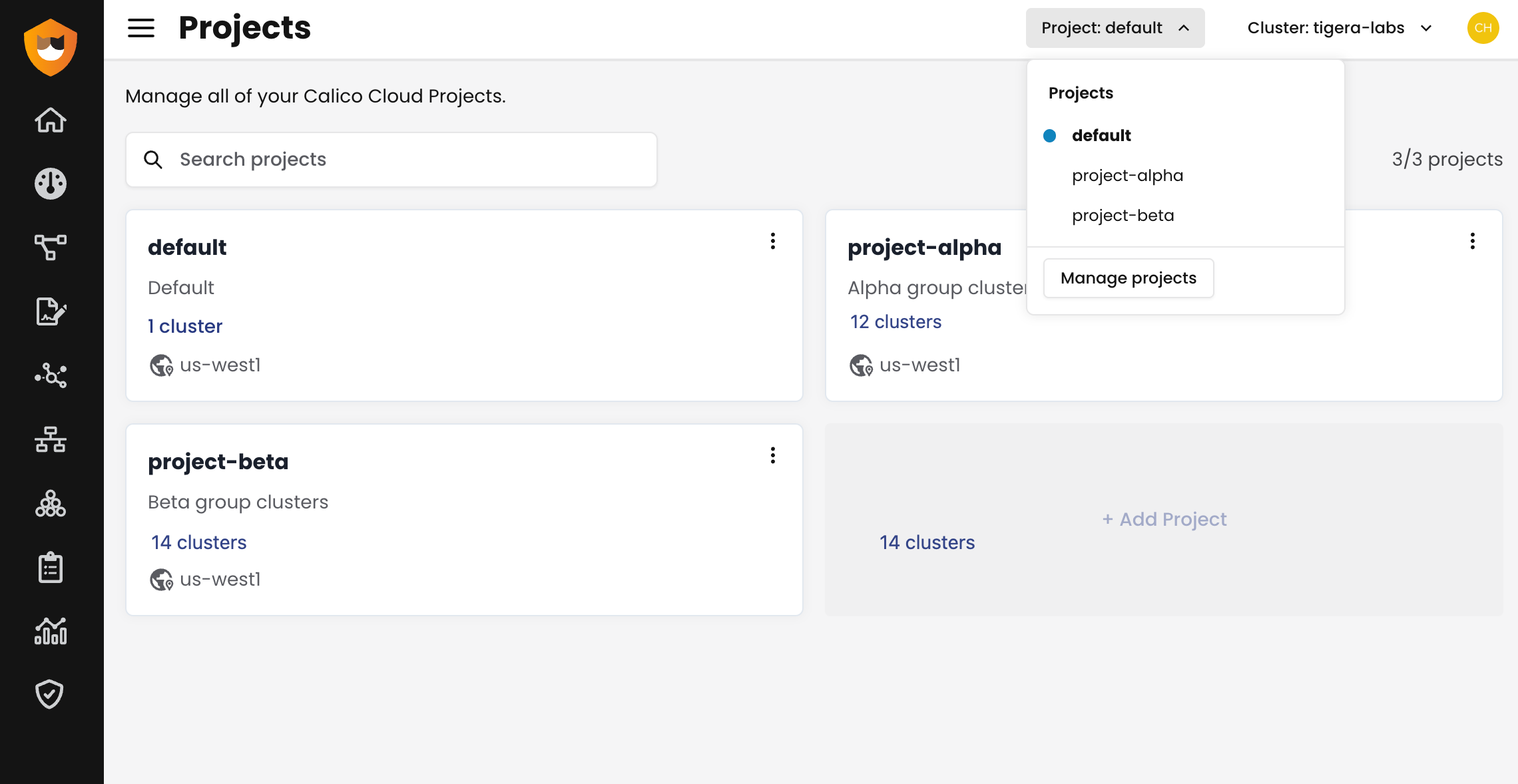
About projects
In Calico Cloud, a project is a logical grouping of one or more managed clusters. You can use projects to organize your managed clusters in ways that are useful for your organization. For example, you can use projects to segregate clusters by product teams, or by geo location.
When you view observability tools in Calico Cloud, you see only what is available for the current project.
All Calico Cloud organizations start with a single default project. You can have up to three projects at a given time.
Create a project
Prerequisites
- You have Admin or Owner privileges.
Procedure
-
From any page in the web console, click the Project menu and then click Manage Projects.
-
On the Projects page, click Add Project.
-
Enter a name and description for the project, and then click the Add Project button.
Provisioning the new project takes a few minutes. When provisioning is complete, you can begin connecting clusters.
Connect a cluster to a project
- To connect a cluster to a specific project, make sure you have selected the project you want as you follow the procedure to connect your cluster to Calico Cloud.
Move a managed cluster to another project
You can move a managed cluster to another project by removing it from the original project and connecting it to the new project.
Log data held by Calico Cloud will be deleted when you remove your cluster from the original project. When you reconnect your cluster to Calico Cloud as part of the new project, flow logs will start to be collected again. You will not be able to restore access to the old logs.
If you need to retain logs, contact our support team.
- To remove your cluster from Calico Cloud, find your cluster on the Managed Clusters page, and then click Actions > Delete. After a moment, the cluster is removed from the list.
- Move to the new project by clicking the Projects menu and selecting your project.
- To reconnect your cluster, follow the guide to connect your cluster to Calico Cloud.